(Day 1 of 4) Mini-Ramble: Dallas! TI! Batteries!

Woohoo, travel time! Today marks the first day in Dallas attending Texas Instruments’ Battery Management Systems deep-dive seminar. Okay, technically it doesn’t start until tomorrow, but that doesn’t mean today was any less exciting.

The flight from Calgary to Dallas wasn’t too eventful, besides a controller fault that required going back to the terminal to resolve, but trying to grab a SIM card to put in my phone was a whole other ordeal. Fry’s carries the card but doesn’t carry the refill PINs, and my Canadian credit card would not work both online and on the phone; it was only when I went to Best Buy to purchase a refill card with cash that I was finally able to get cellular phone and data access.

I was also given a tour of the main TI facility, and boy it is HUGE! As much as I would have loved to share images, I signed an agreement explicitly stating I cannot do so. However, I was able to see a bunch of the lab rooms, offices and demo stands showcasing various TI technologies at work, such as the ARM processors in the Nest thermostat, the DLP chips in pocket projectors, and so on. I even got to see many of the people in the TI Battery Management team in person, but because of the seminar running from Tuesday to Thursday, they were visibly too busy with work to have a chat.

Tomorrow marks the first instalment of the Battery Management Deep-Dive Training sessions. There is preliminary word that I may have an opportunity to speak in public for a couple minutes about the TI forums and why I’m here.

A Little Pick-Me-Up: Samsung 840 EVO SSD slowdowns, and how to fix it (for now…)

There’s been word going around that Samsung’s 840 EVO solid-state drives have an issue where they become really, really slow to read if the data on it has been sitting around for a few months, and I can confirm this is the case as well.

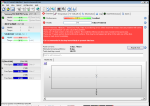
The first half of the drive (which holds a fair amount of static data) was being read at around 30 MB/s, with newer data being read at almost 500 MB/s. That’s a pretty big difference. One thing to note (I didn’t take a screenshot for this) is that although the overall read speed was significantly affected, the read latency was only somewhat slower; only about 10-20 microseconds of extra latency.

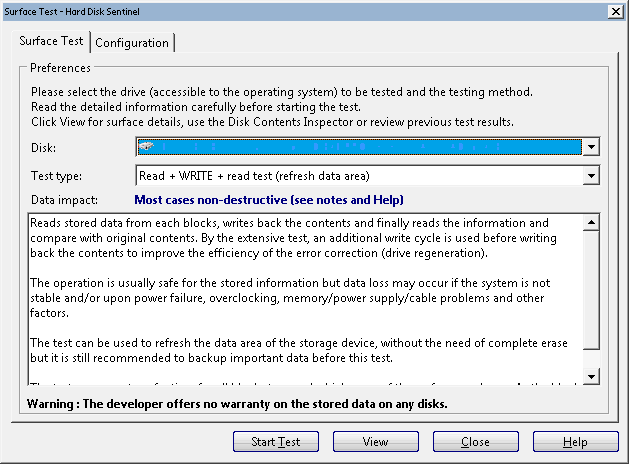
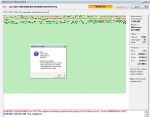
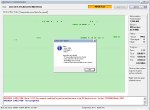
To temporarily fix this (at least until Samsung releases a firmware update in the middle of October), I used Hard Disk Sentinel to read and rewrite all of the data on the SSD. Because this involves accessing data that is normally locked by Windows, I made a custom WinPE (a slimmed-down, portable version of Windows that’s used for installation and recovery) image with Hard Disk Sentinel inside it. This allowed me to boot outside of the normal Windows setup, and perform the Read+Write+Read test to refresh all of the data stored on the SSD. Note that this will impart a lot of write activity to the NAND flash in the SSD (hence a chance for increasing wear), but modern SSDs aren’t as delicate as people might think.

HD Sentinel's Refresh Data Area test

Hard Disk Sentinel’s “Refresh Data Area” test

This took about 2 hours on my 250 GB SSD. Afterwards, another read test showed that the drive was working smoothly again.

Will I still buy a Samsung SSD? Absolutely. No data was lost and Samsung did the right thing by acknowledging the issue and also finding a way to fix it, as opposed to simply calling it a non-issue and sweeping it under the rug.

Looking inside a (fake) iPhone 5S battery

Considering how popular the iPhone is, there’s always going to be some counterfeits out there. I’ve been out buying various iPhone batteries to build a database of each generation’s characteristics, but one model has eluded me so far: the iPhone 5S. The iPhone 5C’s battery that I bought appears to be genuine (but with its own issues), but none of the iPhone 5S batteries I’ve bought so far (4 of them at the time of writing this blog post) were genuine. All of these fakes look like a genuine battery at first glance, but all of them share a few common traits.

Battery teardown

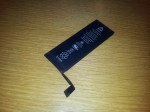
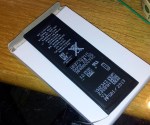
The fake battery sports the usual iPhone battery information, complete with some dot-matrix printed data and a data-matrix barcode. It’s labeled with a capacity of 1560 mAh and 3.8 volts nominal voltage.

Comparison between real and fake iPhone 5S battery

Comparison between real and fake iPhone 5S battery

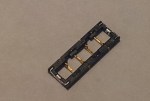
The connector itself has two points for soldering the connector to provide durability. However, with the fake batteries, they are not soldered down. The two spots on the ends of the connectors are dark with a small point visible inside it (that point is the reinforcement pin on the connector). If this connector is installed in an iPhone, it will probably not come out without either damaging the battery’s connector, or worse, leave the plastic connector piece inside the phone, requiring tweezers to remove.

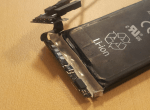
Connector lifted off with a hobby knife

Connector lifted off with a hobby knife

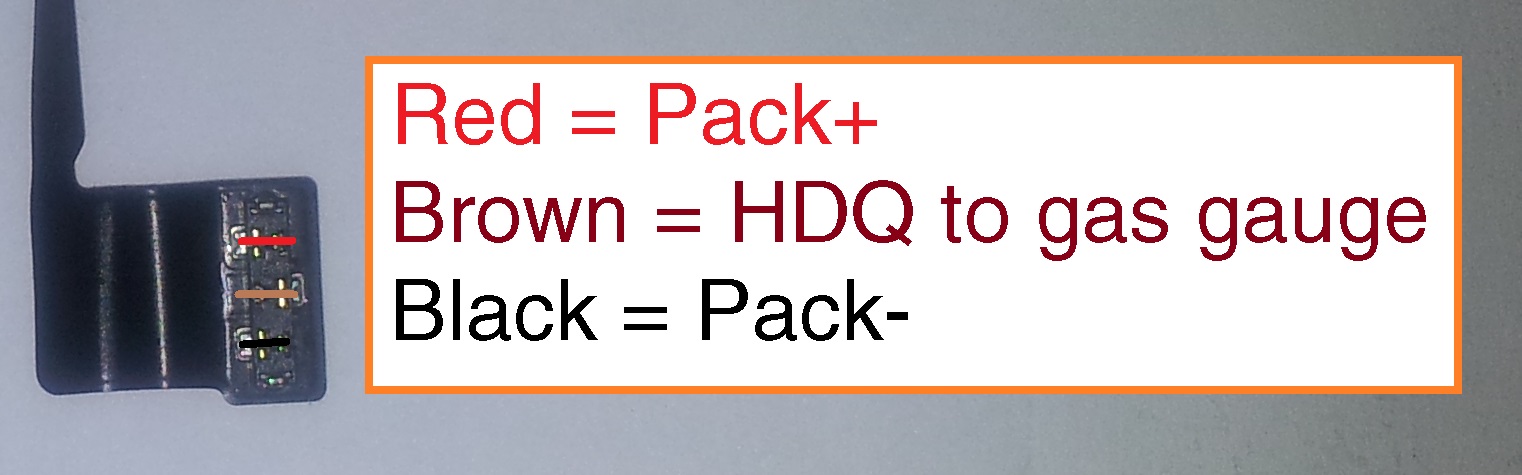
iPhone 5S and 5C battery pinout

iPhone 5S and 5C battery pinout

Removing the black protective tape reveals an iPhone 4 battery fuel gauge board. The connector is soldered to this board, with four solder points visible.

iPhone 4 battery PCB with soldered-on flat flex connector

iPhone 4 battery PCB with soldered-on flat flex connector

Pulling out the PCB  reveals another characteristic of these fake batteries: the positive terminal is cut short, with another metal section being clumsily spot-welded to the stub on the cell.

Note how the battery tab is poorly welded to the PCB.

Note how the battery tab is poorly welded to the PCB.

Battery fuel gauge data

The battery fuel gauge requires proper programming to accurately indicate the battery’s charge status. Because of this, each iPhone battery generation has its own specific configuration.

The fake iPhone battery retains the programming for the iPhone 4’s battery, which is a designed capacity of 1420 mAh, using a bq27541 fuel gauge running version 1.25 firmware. The data inside it is often that of a used/recycled battery as well.

This data can be (partially) read out directly from the iPhone with a tool such as iBackupBot, but more data can be read if the battery is read with another tool. I have the EV2400 from Texas Instruments to read this out on a PC, but this data can be read out with a USB-to-TTL serial port, a logic gate (a logic inverter) and a small MOSFET transistor.

I created a small tool that uses this circuit to interface with the fuel gauge and read out its data. Check it out here.

Using my tool, this is the report for one of these fake batteries. Note how it is identified as an iPhone 4 battery. Don’t be fooled by the calculated state of health. It’s not accurate for this battery as the fuel gauge still thinks it’s still inside an iPhone 4 battery pack.


**** START OF HDQ BATTERY LOG REPORT ****
HDQ Gas Gauge Readout Tool version 0.9 by Jason Gin
Date: 9/30/2014
Time: 0:52:24
Serial port: COM26

Battery Identification
========================
DEVICE_TYPE = 0x0541, FW_VERSION = 0x0125, DESIGN_CAPACITY = 1420 mAh
Battery's configuration matches that of a standard iPhone 4 battery.

Basic Battery Information
===========================
Device = bq27541 v.1.25, hardware rev. 0x00B5, data-flash rev. 0x0000
Voltage = 3804 mV
Current = 0 mA
Power = 0 mW
State of charge = 45%
Reported state of health = 0%
Calculated state of health = 99.3%
Cycle count = 14 times
Time to empty = N/A (not discharging)
Temperature = 27.9 °C (80.3 °F) (3009 raw)
Designed capacity = 1420 mAh
Heavy load capacity = 628/1410 mAh
Light load capacity = 673/1455 mAh

Advanced Battery Information
==============================
Capacity discharged = 0 mAh
Depth of discharge at last OCV update = ~778 mAh (8768 raw)
Maximum load current = -200 mA
Impedance Track chemistry ID = 0x0163
Reset count = 11 times

Flags = 0x0180
Flag interpretation:
* Fast charging allowed
* Good OCV measurement taken
* Not discharging

Control Status = 0x6219
Control Status interpretation:
* SEALED security state
* SLEEP power mode
* Constant-power gauging
* Qmax update voltage NOT OK (Or in relax mode)
* Impedance Track enabled

Pack Configuration = 0x8931
Pack Configuration interpretation:
* No-load reserve capacity compensation enabled
* IWAKE, RSNS1, RSNS0 = 0x1
* SLEEP mode enabled
* Remaining Capacity is forced to Full Charge Capacity at end of charge
* Temperature sensor: External thermistor

Device name length = 7 bytes
Device name: bq27541

**** END OF HDQ BATTERY LOG REPORT ****

Reading out HDQ-equipped battery fuel gauges with a serial port

Battery fuel gauges are the unsung hero of the battery world. There’s more to it than just measuring the voltage on the battery terminals,. These little chips are microcontrollers (tiny computers, essentially) that sit inside the battery pack and keep tabs on the battery’s performance for the life of that battery pack.

Texas Instruments makes battery fuel gauges that are small enough to fit in the circuitry of a cell phone, and one of the most common ones that uses this technology are iPhone batteries. These batteries use a single-wire interface called HDQ (which stands for High-Speed Data Queue). It may sound similar to Dallas Semiconductors’ 1-Wire protocol, but the two are completely different and incompatible with each other.

Protocol details

The HDQ protocol can be emulated with a serial port and a little bit of external circuitry. The protocol can be emulated with a serial port at 57600 baud with 8 data bits, no parity bit and 2 stop bits. Because this is a bi-directional bus, an open-drain configuration is needed. Most TTL serial ports are not open-drain, so some circuitry is required to do this. TI’s application note suggests using a CMOS inverter and an N-channel MOSFET along with a 1 kOhm pull-up resistor, but this can be cut down with a 74HC07 open-drain buffer and pull-up resistor.

[EDIT: June 13, 2015 – Corrected schematic]

The HDQ protocol uses a short pulse to indicate a logic 1, with a longer pulse to indicate a logic 0. The data is sent LSB (least significant byte) first, with a 7-bit address and an eighth bit to indicate if the operation is a read or write (0 is read, 1 is write). If it is a read operation, the fuel gauge will respond with one byte of data. As you might think, this is a very slow means of communication; the typical bus speed is 5-7 kilobits per second, but the actual usable throughput will be less than this.

The hack in this is that the bit timing can be made by sending a specially crafted UART byte that meets the timing specifications. Each bit takes up one byte of UART buffer memory, with 24 bytes being enough to perform an HDQ read (the first 8 bytes are echoed back to the PC and need to be ignored by the software). TI’s application note goes into this with a bit more detail.

Windows HDQ utility

HDQ utility icon, in all its pixelated glory.

HDQ utility icon, in all its pixelated glory.

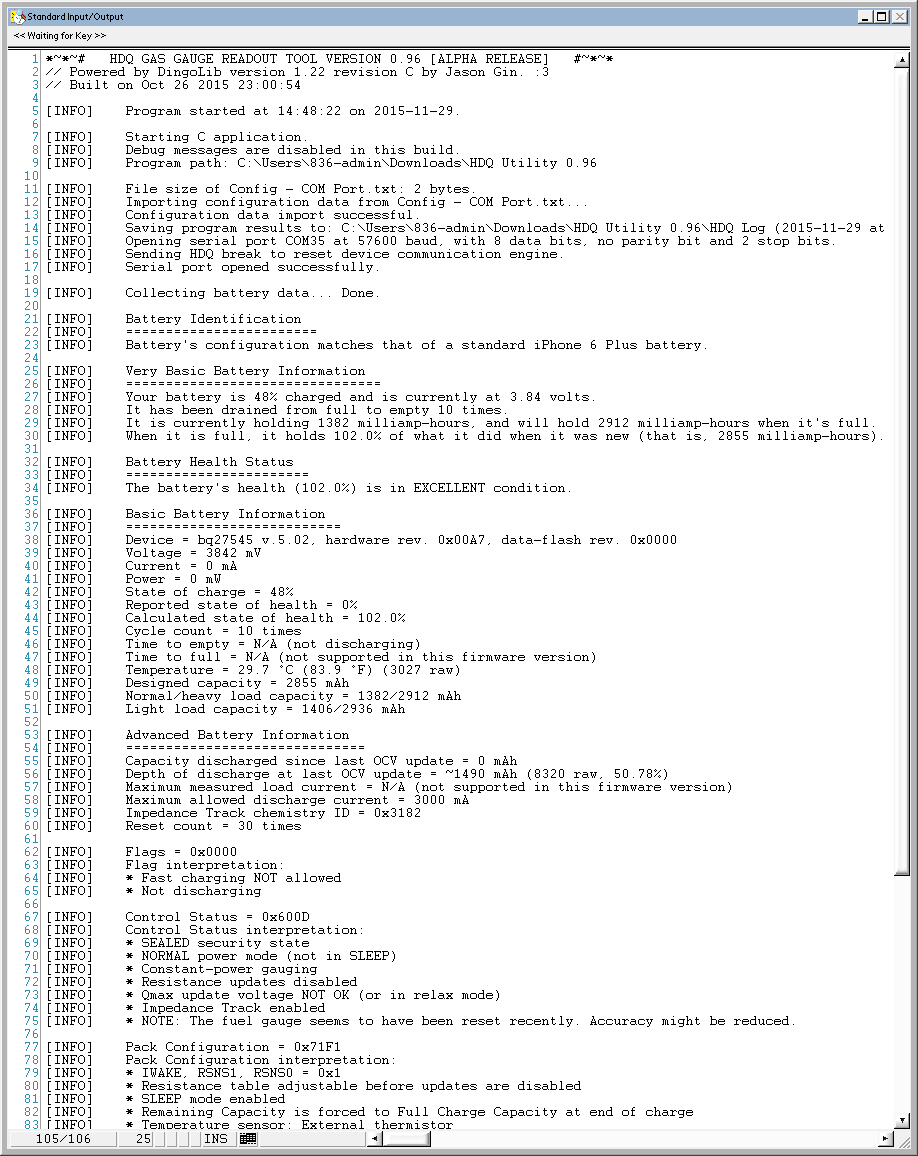
I have written a small Windows program that will read out the battery’s main data, identify as a certain iPhone battery model (most iPhone batteries are supported), and save a copy of this data to a text file for safekeeping. This program requires the National Instruments LabWindows/CVI Runtime library to run, since I whipped this program up with the first available IDE on my college PC.

fdd82eef8d

Screenshot of HDQ Utility version 0.96

The source code is not yet available (translation: I’m too ashamed of my programming skills to share it with others); however, a Windows executable is available for download below.

You will need to download the National Instruments LabWindows/CVI Runtime to run this program.

Current version (0.96): https://www.dropbox.com/s/pf0vszgfei7s8ly/HDQ%20Utility%200.96.zip?dl=0

Version 0.95: https://www.dropbox.com/s/7xdurbh9qibdftl/HDQ%20Utility%200.95.zip?dl=0
Version 0.9: https://www.dropbox.com/s/cd3esa5us6elfgr/HDQ%20Utility.zip?dl=0

Contributions are always accepted! Email me if you would like to send in a battery for me to analyze, or you can buy me a coffee through PayPal:


[EDIT – July 28, 2016] Welp, looks like the PayPal button’s broken (or was it never working to begin with…?). If you’d like to send anything to me, just give me a shout at ginbot86@gmail.com!

[EDIT – August 2, 2016] Whoops, looks like I never had the button working in the first place. Hopefully it works this time.


So Phone Me Maybe: A list of iPhone/iPad batteries with gas gauge functionality

Looking for my HDQ Utility to read out your own batteries? Click here!

UPDATE: Turns out the iPhone 3G and 3GS do have gas gauges! I will add them to my list as I find out more about them.

Each iPhone generation since the iPhone 4 iPhone 3G uses a TI gas gauge and uses the HDQ bus (iOS refers to this as the SWI [single-wire interface]) to communicate with the outside world. For more information about the HDQ protocol, click here.

I’ve noticed that many of the iPhone 5S and 5C batteries that can be purchased online are reusing iPhone 4 circuits, which will cause a significant decrease in gauge accuracy (proper parameters need to be programmed into the gas gauge, and that information is chemistry dependent), and the protection circuits in the iPhone 4 battery PCB will kick into overvoltage protection mode at 4.25 volts, less than the 4.3 volts that the iPhone 5 (and newer) batteries need to charge fully.

Because I have been unable to find a list of information of each battery generation, I’m making one myself. Because nobody else has dug this deep into the fuel gauges that the iPhone uses, I have to get this information experimentally (that is, by buying various batteries from online shops; the iPhone 5S battery has been very difficult to get, besides the fake ones I mentioned earlier).

So far I’m in need of an iPhone 3G (not the 3GS) battery, as well as all iPad batteries (or, if you have my program on hand, what model the battery is intended for, the fuel gauge device (eg. bq27541, bq27545), firmware version and designed capacity.

Model Gas Gauge Firmware Designed Capacity Default Unseal Key? Comments
iPhone 3G bq27541 ? ? Yes (0x36720414) Need to acquire one of these.
iPhone 3GS bq27541 1.17 1200 mAh Yes (0x36720414) Limited feature set. My utility will throw “No response” errors when reading this battery.
iPhone 4 bq27541 1.25 1420 mAh Yes (0x36720414)
iPhone 4S bq27541 1.35 1430 mAh Yes (0x36720414)
iPhone 5 bq27545 3.10 1430 mAh No (0x52695035) Many thanks to Yann B. for finding the unseal key!
iPhone 5S bq27545 3.10 1550 mAh No (0x84966864)
iPhone 5C bq27545 3.10 1500 mAh No (0x84966864)
iPhone 6 sn27545-A4 (note 4) 5.02 1751 mAh No (0x65441236)
iPhone 6 Plus sn27545-A4 (note 4) 5.02 2855 mAh No (0x18794977)
iPhone 6S sn27546-A5 (note 5) 6.01 1690 mAh No (0x90375994)
iPhone 6S Plus sn27546-A5 (note 5) 6.01 2725 mAh No (0x11022669)
iPhone SE Unrecognized (note 6, 7) (A1141/0x1141) 1.03 1560 mAh No (unknown) (See note 6)
Apple Watch (38mm) sn27545-A4 5.02 235 mAh No (0x09130978)
Apple Watch (42mm) sn27545-A4 5.02 245 mAh No (unknown) If anyone has one that reads “FULL ACCESS” in my program, please send it to me! 🙂
iPad (3rd gen) bq27541 1.35 11560 mAh Yes (0x36720414)

Notes:

  1. All known iPhone battery models use custom firmware, so not all of the features that the mainstream gas gauge models use are available. For example, none of these gauges will calculate the battery’s State of Health percentage (it is basically the percentage of the battery’s full charge capacity (it degrades with use) versus its designed capacity.
  2. The iPhone 5C’s battery label indicates a designed capacity of 1510 mAh, but the battery I’ve received indicates a capacity of 1550 mAh. As I have only been able to get one of these batteries that seem to be genuine, I will need to get more batteries of this type to confirm that this information is correct.
  3. The iPhone 5’s battery label indicates a designed capacity of 1440 mAh, but the fuel gauge reports 1430 mAh. The 5S battery reports 1550 mAh, but is labeled 1560 mAh. The 5C reports 1500 mAh, but is labeled 1510 mAh.
  4. The iPhone 6 and 6 Plus use a special firmware that is identified in TI’s battery software (except the very latest releases where such data was removed), and it has a very extensive feature set, and a lot of data logging features.
  5. The iPhone 6S/6S Plus use a firmware version similar to the iPhone 6/6 Plus, but with a newer chip and some features trimmed out. I’m reasonably confident that the chip is an sn27546-A5 but have no idea if it’s the official part designator.
  6. The iPhone SE battery seems to have a unique custom chip, but has gone back to a DFN-based package (similar to bq27541) rather than a BGA like the bq27545/546. It is marked “A1141” and does not respond to my HDQ adapter, only the official TI EV2300/EV2400. I have only one in my possession, so I am not 100% sure whether this is true for this series of batteries.
  7. Come to think of it, I might have been ripped off with the battery I received, and it could very well be that I just have a counterfeit that uses a non-TI gauge.

Ramble: Engineers and hackers – never the twain shall meet?

Note: This is a vent post more than anything, and as such it won’t have much relation to the other things I write. If you want to stick to my main content, feel free to skip this blog post.

Continue reading

An Easy Hook-Up: Creating breakout Power/HDQ breakout boards for iPhone smart batteries

Now that I’ve been amassing a greater and greater arsenal of iPhone batteries, it’s gotten to the point that it makes most sense to create a connector board that can bring out the Pack+/Pack- pins alongside the HDQ data pin so I can view the gauge’s status in GaugeStudio.

Why use iPhone batteries in DIY projects?

The benefit of using iPhone batteries (note they must be for the iPhone 4 or newer; older ones will lack the fuel gauge) in microcontroller-based projects, is that the fuel gauge allows the microcontroller’s program to read out its current battery level, power consumption, capacity and time-to-empty; you also get the usual built-in protection circuit to safeguard against short-circuits, overcharge/overdischarge and overcurrents.

Additionally, iPhone replacement batteries are easy to find online or in cell phone repair shops, making them cheap and plentiful.

What is this “HDQ” that I keep talking about?

HDQ is a communication bus originally made by Benchmarq (now a part of TI). It stands for “High-Speed Data Queue”, and is a serial bus that transmits data over a single wire. This, however, is not to be confused  with Dallas Semiconductor’s 1-Wire protocol. The basic idea is the same but they are completely incompatible with each other.

Board construction

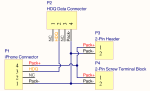
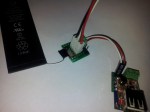
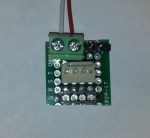
The board was made up of an iPhone surface-mount connector, a 4-pin connector for HDQ data transfer, a 2-pin male header, and a 2-terminal screw terminal. As with many of my prototype boards, wiring of the board is done with thin, flat solar cell tabbing wire. It’s flat, pre-tinned, and can handle high currents easily.

The benefits of this sort of board is that it allows:

  • Easy, removable connections to the battery; no need to solder to the battery terminals directly
  • Access to the HDQ data pins and power terminals
  • Real-time monitoring of battery State-of-Charge (%), current (mA), voltage (mV), capacity (mAh) and also the remaining time-to-empty (minutes).
  • Adaptability for different connectors (either by making a separate board for that connector or by creating a single “universal” board)
  • HDQ protocol can be used by a microcontroller via either bit-banging the protocol, or using an on-chip UART. (subject to a separate post in the future)

Although I could have created one large breakout with all the available connectors populated, I wanted to be able to use multiple batteries at once for powering different devices. Additionally, the HDQ bus has no support for addressing multiple devices.

The iPhone 4, 4S and 5 batteries have an additional NTC thermistor pin, but I have left them disconnected since I can read out the battery temperature over HDQ anyways.

Safety

Keep in mind that not all Li-Ion batteries have the same charging voltage. The iPhone 4 and 4S batteries use a 3.7 volt cell, charging at 4.2 volts; but the iPhone 5, 5S and 5C batteries are 3.8 volts, charging at 4.3 volts. 4.3 volt cells can charge at 4.2 volts with a capacity reduction of 5-10%, but 4.2 volt cells must not be hooked up to a 4.3 volt charger. There is overcharge protection built into the battery but it should not be relied upon for regular charging. Apart from the usual risk of the battery catching fire (or even just puffing up like a balloon), you also permanently decrease the battery’s capacity and dramatically increase its internal resistance, essentially crippling the battery for life.

Looking inside an iPhone 5 battery

In the wake of my previous teardowns of the iPhone 4 and 4S batteries, I went onto eBay and Amazon (realizing that they finally have Amazon Prime student rates up in Canada) and bought a few iPhone 5 and 5S batteries. Although I was primarily interested in trying to get the gas gauge information out of the batteries, I had a secondary reason. The Nexxtech Slim Power Bank (a subject of a separate blog post) uses a pair of 3.8-volt Li-ion polymer batteries, and they seemed to be be suspiciously similar in size to what is used in the iPhone 5. But enough of that, we’re here for the iPhone 5 battery in particular!

Battery Casing

The iPhone 5 battery measures 3.7 mm in thickness, 3.2 cm in width and 9.1 cm in length. This particular model, made by Sony, has a model ID of US373291H, with the six digits corresponding to the cell’s dimensions. This cell has a labeled capacity of 1440 mAh at a nominal 3.8 volts, with a maximum charge voltage of 4.3 volts. I tried to read the data matrix barcode on the cell but my barcode scanning app on my phone refused to recognize it. I might try to scan and sharpen the barcode later but it’s not something that’s of a high priority to me.

Battery Teardown and Pinout

The board itself is rather interesting. The protection MOSFETs used to switch the battery’s power are chip-scale packages and are glued down with epoxy, same with the gas gauge itself. This means that I can’t easily replace it with a rework station if the need arises. The board includes the gas gauge, thermistors, protection circuitry and still has room for a polyfuse for extra over-current protection.

iPhone 5 battery PCB layout

iPhone 5 battery PCB layout

The pinout of the iPhone 5 battery is pretty much the same as of the iPhone 4 and 4S. You have Pack-, NTC Thermistor, HDQ and Pack+. In this particular model of battery, the gas gauge is a bq27545 (labeled SN27545), but has basically the same feature set as the iPhone 4/4S’ bq27541. With this information, I soldered to the small terminals on the connector (the actual connectors for this battery haven’t arrived yet since it takes so long to receive items from China on eBay), and hooked it up to my trusty Texas Instruments EV2400 box.

iPhone 5 battery pinout

iPhone 5 battery pinout

Battery Data

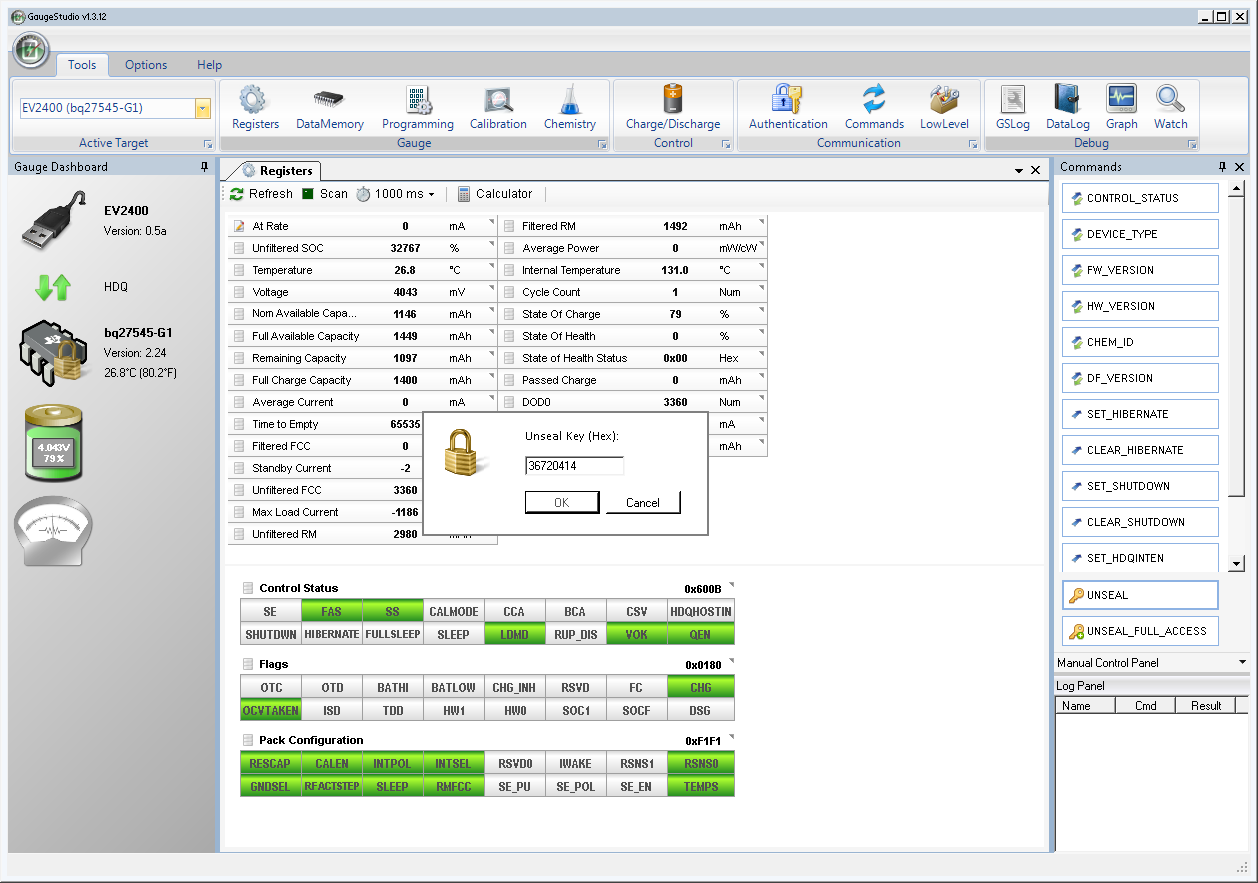
iphone 5 firmware versionAnd once again, we’re presented with an obscure firmware revision. The latest bq27545-G1 firmware is only version 2.24, but this chip has version 3.10. After forcing GaugeStudio to accept this gauge as a -G1 version, we’re once again presented with a sealed chip. Let’s try to unseal it with the default key…

... aaaaand nope. No dice with 0x36720414, unlike last time.

Nope. No dice with 0x36720414, unlike last time.

… and I get the dreaded “Unseal Key” prompt. Cue the dramatic Darth Vader “NOOOOO” here. Maybe Apple read my previous post and decided to change the default keys this time (Hey Apple, if you read this, make the iPhone 6’s gas gauge have the default keys again)! This means that not only can I not access any of the juicy details of this battery, but I cannot update its firmware to a more… conventional version either. I could try brute-forcing it, but trying to hack a key with a 32-bit address space over a 7 kbps bus… uh, no. That’s not going to happen. I’d probably have better luck reverse-engineering Apple’s battery code but I doubt they have any facility to do in-system firmware updates for the gas gauge.

Data captured from GaugeStudio

Data captured from GaugeStudio

Now for some rather… interesting details of what we can access. The design capacity of this battery, according to the gas gauge, is 1430 mAh, same as the iPhone 4S and also 100 mAh less than what’s written on the label. That, and the full charge capacity of this battery is 1397 mAh out of the gate. The gauge seems to be an insomniac (it won’t enter Sleep mode even when the battery is not hooked up to any load), and it seems to have less features despite having a higher firmware version (I’m sure the internal temperature isn’t 131 degrees C…), and the Pack Configuration register doesn’t bring up any sensible data.

Battery… conspiracy?

One thing that I haven’t confirmed is whether or not this battery had been tampered with before I received it. I bought this particular battery from eBay and it was listed as new. It had some adhesive residue but no obvious sign of being peeled off from another iPhone. The cycle count is set to 1, and because the gas gauge is sealed, I can’t read any other data like the lifetime data logs. There is a chance that this battery isn’t new and that the seller had somehow changed the data memory and sealed the chip with a non-default key, but I need to wait until some other batteries arrive in the mail and perhaps try reading out batteries taken out directly from some iPhone 5s. Until then, it’s only speculation as to why this chip is sealed with a different key.

The next victims specimens: an iPhone 5S battery, a “new” iPhone 4 battery, and an Amazon Kindle battery.

Review, teardown and analysis of Charging Essentials USB wall outlet

(UPDATE: March 2, 2015 – I’ve picked up a pair of the newer tamper-resistant versions of this wall outlet. A review and teardown on that unit is coming up; stay tuned!)
(UPDATE 2: May 29, 2016 – Scratch that on the first tamper-resistant model; it had the same performance as the one mentioned here. Also, Costco has released a 3.1A version of this outlet, and is currently under review.)

About a week ago I bought a set of wall outlets from Costco that integrate two USB charging ports into a standard Decora-type receptacle. It’s marketed to replace your traditional AC adapter, allowing other appliances to be plugged in while charging your portable electronics.

The outlet is made by Omee Electrical Company, but curiously enough this particular model, the OM-USBII, wasn’t listed on their site. The packaging itself bears the name Charging Essentials, with a logo that looks like a USB icon that’s had one Viagra too many. The packaging states that the outlet has:

  • “Two 5VDC 2.1A ports for more efficient charging in less time”
  • “Smarter USB charging with special chip designed to recognize and optimize the charging requirements of your device”
  • “Screw-free wall plate snaps into place for a more clean, modern appearance”

The second note is of particular importance to me. If it’s true, that means it might be using some USB charge port controller like TI’s TPS251x-series chips. But I’m not one to have blind faith in what’s written on the packaging. Let’s rip this sucker apart!

The outlet has a snap-on coverplate which may look sleek but could hamper removal of this outlet later on if needed. I was curious as to why one couldn’t just use a regular screw-on coverplate, and it turns out it’s because the mounting flange doesn’t have any tapped screw holes; you physically can’t use screws on this because the manufacturer didn’t want to go to the effort to make holes that can accept screws!

The casing is held together with four triangle-head screws in a weak attempt to prevent opening of the device. I had a security bit set on hand so this posed no hindrance to me. Upon removing the cover, the outlet seems rather well built. However, after removing the main outlet portion to reveal the AC-DC adapter inside, I quickly rescinded that thought.

The converter seems relatively well-built (at least relative to some crap Chinese power supplies out there). Some thought was put into the safe operation of this device, but there’s almost no isolation between the high and low voltage sides, and the DC side of this adapter is not grounded; the “ground” for the USB ports floats at 60 volts AC with respect to the mains earth pin. The Samxon brand caps are also pretty disappointing.

As for the USB portion of this device, I had to remove some hot glue holding the panel in place. After a few minutes of picking away at the rubbery blob, I was able to pull out the USB ports.

… and I found LIES! DIRTY LIES! There is no USB charge port controller, contrary to what the packaging claims. It just uses a set of voltage dividers to emulate the Apple charger standard, which could break compatibility with some smartphones. Ugh, well let’s put it back together and take a look at it from the performance side of things. At least the USB ports feel pretty solid…

To measure the voltage-current characteristic of the outlet, I rebuilt my bq27510-G3 Li-Ion gas gauge board so it had better handling of high current without affecting my current and voltage measurements. The reason I used this is because the gauge combines a voltmeter and ammeter in one chip, and by using the GaugeStudio software, I could create easy, breezy, beautiful V-I graphs.

Using a Re:load 2 constant-current load, I slowly ramped up the load current while logging the voltage and current data to a CSV file for analysis in Excel.

overall vi graphThis charger’s… okay. It has surprisingly good regulation up to 2.3 amps, but after that point the AC-DC converter basically brickwalls and the voltage plummets to 3 volts. That said, this also means that this outlet is not a set of “two 2.1A USB ports”. You can charge one tablet but you won’t be able to charge a tablet along with another device simultaneously.

Bah, I’ve had it with this wall outlet. Looks like this one’s gonna be returned to Costco in the next few days. This outlet may be adequate for some people, but for me it’s a disappointment.

Pros:

  • Solid USB ports
  • Good voltage stability (up to 2.3 amps, enough to charge ONE tablet)
  • Apple device compatibility

Cons:

  • Annoying coverplate design
  • Does not meet rated current output, will not charge 2 tablets or 1 tablet + another device
  • Does NOT have a “smart charging chip” despite being stated on packaging, some devices (eg. BlackBerry) will refuse to charge from these ports
  • Power supply for USB seems cheap
  • USB port is not grounded – if a short-circuit happens inside the power supply it can be a shock hazard to you

A Temporary Hold: Creating Li-Ion battery holders with prototype boards and pin headers

As seen on Hackaday!

Lithium-ion batteries are great. They have high energy density, are lightweight, and in the case of many portable devices, they can be easily swapped in and out. One problem with prismatic (the types you often find on cell phones that have a set of flat contacts on one end of the battery) packs is that they’re all custom; the cell may be standardized but the pack it’s in is often proprietary to a certain make and model. Sure, there are “universal” holders out there, but they provide poor electrical contact at best. Since I need a secure electrical connection when using my battery fuel gauges, I sought to create a more sturdy holder for the batteries I have lying around.

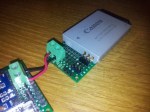
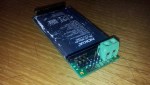
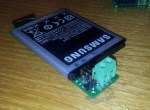
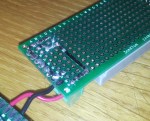
The construction of the holder is pretty simple. A strip of female pin header (I used a single-pin-width header but a double-width one can be used for greater mechanical strength) is used as an end-stop for the battery, and a right-angle pin header is used to create contact with the battery’s terminals and to provide the physical “clamping” needed to create a good connection. The right-angle header can be bent and soldered into place to adjust the holder to the particular cell you’re using. Additionally, be sure to use some high-quality FR4-based boards as the brown-coloured paper/resin-based boards won’t have as good resilience and strength, and probably won’t be plated through either (this improves the structural integrity of the holder since the pin headers will be under a bit of physical stress).

For connections, I have a 2-pin header (physically a 3-pin header with one removed to denote polarity) and a set of screw terminals. These are wired up using a flat ribbon “wire” used to connect solar cells together as they can handle several amps and come pre-tinned with solder.

This sort of setup can be adapted to nearly any commercially available prismatic battery, provided it uses a flat contact area on the sides.

Mini-Ramble: Upcoming posts

In lieu of any recent posts, I’d at least post what I plan to write in the near future:

  • Failure analysis of KitchenAid KICU509XBL induction cooktop
  • Teardown/analysis of XtremeMac InCharge power bank
  • Teardown/analysis of Nexxtech Slim Power Bank (3000 mAh)
  • Shoehorning a Nokia BL-5C into a Samsung Galaxy S II
  • Review of the Texas Instruments Gauge Development Kit (GDK) – it’s a beauty!
  • Create a tiny stereo audio amp that’s efficient enough to run off a coin cell!
  • Adding fuel gauges to devices that normally don’t have one (or at least provide some way to track capacity remaining in the battery)
  • Creating a digital music player, using only 7400 logic, some EPROM or NOR flash, and an oscillator. (might even post this one on HackADay 🙂 )
  • Plans for making Li-Ion gauge boards on Tindie
  • More solar panels

KitchenAid induction cooktop service manual

In preparation for a future post in which I do some failure analysis on my KitchenAid KICU509XBL induction cooktop, I dug up the service manual I had laying in one of my document drawers and have scanned it into a PDF. Download the PDF file here.

Since Googling for the cooktop’s error/failure codes didn’t turn up anything useful, I’ll post them here so that people can find it more easily (note that I’ve paraphrased it from what’s listed in the PDF itself):

Failure types:

  1. Power control board: Affects only one burner, with the rest remaining functional.
  2. Usually from the power control board, but could be some exceptions: Affects all burners associated with that control board, but any burners that aren’t using said board will still work.
  3. User interface board: Entire cooktop will be unusable.

Error codes:

  • F12: Type 1 – Insufficient current to a burner’s electromagnetic coil.
  • F21: Type 2 – Mains power supply frequency is out of range.
  • F25: Type 2 – Cooling fan is stuck or dead. The specific fan that has failed can be determined by which side the F25 error code is appearing on the user interface board.
  • F36, F37: Type 1 – A burner’s temperature sensor has failed.
  • F40: Type 1 or Type 2 – Power control board has failed.
  • F42: Type 2 – Mains power supply voltage has a problem, perhaps an open fuse on the EMI filter/mains input board.
  • F47: Type 2 – User interface board cannot communicate with the power control board, and/or its fuse is blown. (This failure code is what appeared on my particular cooktop.)
  • F56: Type 3 – The configuration data on the cooktop’s user interface board EEPROM is invalid.
  • F58: Type 2 – The configuration data on the cooktop’s power control board EEPROM is invalid.
  • F60: Type 3 – User interface board has failed.
  • F61: Type 2 – Power control board has failed, likely because it is not receiving enough voltage.
  • C81, C82: Type 2 – Cooktop is overheating.

EDIT (November 6, 2015): The F47 code, in my case, was because the power control board (which is responsible for driving the induction coils to heat up the cookware) had short-circuited somehow. Either way, it burnt out all of the transistors and the diode bridge, which then caused its fuse to blow, and at one point it tripped the main breaker in the house.

I suspect it was caused by using the largest element (the rear right burner) on the Boost/P setting, which overloaded the electronics and caused them to fail dramatically. After getting the board replaced (twice), KitchenAid said they do know about this issue to some extent, and repaired our cooktop free-of-charge despite being out of warranty for several months.

How NOT to cut monocrystalline solar cells

The notion of “free electricity” has had some allure for me for quite some time. Back in the middle of high school, with a relatively full pocket after a hard summer job operating rides at a local outdoor theme park, I thought “Hm… Calgary sure gets a lot of sun. Now what if I tried to harness its energy?”

Back in late 2011 I purchased a set of 44 6″ by 6″ monocrystalline solar cells (the good stuff) off eBay. These cells sat unused for years until I tried to build a small panel with one of the cells. I wanted to have a small portable panel that I could bring around to charge my phone (I shoehorned a Nokia BL-5C into my Samsung Galaxy S II and it still works better than my fake “Samsung” battery I bought off eBay for $7 or so).

Cell plan created in Publisher

Cell plan created in Publisher

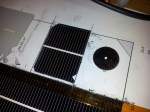
I created a layout of the way to cut up the cells using Microsoft Publisher, as it has the ability to create shapes in a what-you-see-is-what-you-get manner. I divided the 6-by-6 inch cell into 12 subcells. One whole cell is rated for 4 watts in full sun (0.5 volts * 8 amps), so each subcell should produce ~667 mA or 333 mW. However, the corner cells will have 1.5 cm^2 less area because monocrystalline cells are manufactured from a round wafer, but the output difference isn’t of huge concern to me. Of course, the useful power output of the cells will be much lower than this, but designing for that’s all part of the fun (or pain, depending on how you look at things).

I used a diamond cutting disk designed for a Dremel or other rotary tool, and scored the top side of the solar cell. If things went as planned, I could “snap” the cell at that scored line and it should break cleanly.

Since at this point the cell was basically ruined (Most of the fragments are usuable, provided the silver conductive pad is present on the back of the cell), I decided to cut up some “usable” sections by scoring both sides (and with more depth). It worked… okay I guess. The yield was poor but I did have a few cells that split acceptably.

Overall, the panel’s usable area is much less than what I expected. With 12 subcells I can expect about 1-2.5 watts from this panel. Oh well, live and learn.

Next up is to acquire a proper glass-cutter with a flat working surface…

The Operation Failed Successfully: New series on this blog

I’ve created a new category for my posts, named “The Operation Failed Successfully” in a somewhat mocking term of the Windows error “The operation completed successfully.” It’s intended to be used in a similar manner as Hack A Day’s “Fail of the Week”, showcasing some… less successful ideas of mine.

(Part 2 of 2) Microdrive Adventures: Looking into (and butchering) the Hitachi Microdrive and Seagate ST1 CompactFlash hard drives

(Part 1 viewable here)

Content advisory: electronics gore! 😀

refundI sent screenshots from Hard Disk Sentinel to the seller of the microdrives, and they refunded my money but didn’t want the drives back. Even then, it’d probably be a good idea to destroy the drives since re-use of them would be a bit… fraudulent after getting refunded. I decided to throw the drives around to see how well they’d hold up to physical abuse.

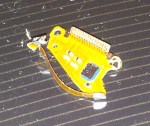
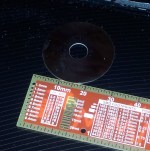
The Microdrive died when I whipped it against the concrete floor of my basement, go figure. The impact was strong enough to bend the steel frame but not enough to shatter the glass hard disk inside. Obviously, the disk didn’t spin up or enumerate in Hard Disk Sentinel. Now that the drive’s murder has been accomplished, it’s autopsy time!

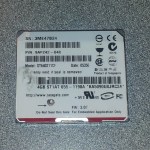
The Seagate ST1 was put through a similar treatment, but it died much less gracefully when plugged in. The main controller chip (I think) shorted internally, and after about 15 seconds of being powered up, it released the magic smoke. The board’s plastic liner was melted where the chip shorted out. The drive internals weren’t much different than the Hitachi drives so I didn’t bother taking pictures of the drive’s insides.

After the damage was done, the drives were promptly put in a small plastic bag to be put in an electronics recycle bin.

(Part 1 of 2) Microdrive Adventures: Looking into (and butchering) the Hitachi Microdrive and Seagate ST1 CompactFlash hard drives

A few weeks ago I decided to hop onto eBay and buy a couple microdrives for fun. If you haven’t heard of the term, a microdrive is a hard disk drive that fits into a CompactFlash slot. These were intended to be the future in mobile storage, with 20 GB drives being the biggest around 2006. Of course, these drives proved to be very delicate, and besides, now we get 128 GB microSD cards!

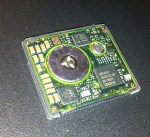
The drives I purchased appeared to be pulled from some old iPod minis. The seller tried to remove the Apple logo with some sort of solvent, but left the smudges behind.

The problem with the iPod mini drives is that their CompactFlash interface is disabled. That is, the drive is really just a PATA drive in a CompactFlash’s body. Few devices that aren’t PCs support CompactFlash cards in this mode.

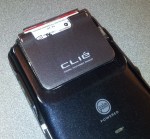
Being the curious type, I popped the drives into my Sony Clie NX73V, which I still carry with me even though it’s 11 years old 🙂 . It has support for CompactFlash Type I and II (thin and thick, basically), and, according to the properties window in the OS, uses the ATA protocol to talk to the cards. This means it should interface with the cards just fine… right?

First, I popped the Hitachi Microdrive in my Clie. One second after inserting the card, I see a question mark in the memory card’s taskbar icon. No dice.

Then, I moved on to the Seagate ST1. It spun up, but the Clie hung for about 30 seconds before finally displaying “The card cannot be recognized”. However, it did at least enumerate with the OS and I could pull up the manufacturer and model number of the drive.

Hm, well those ideas were dashed pretty quickly. Later, I bought a CompactFlash-to-PATA adapter, and a PATA-to-SATA adapter so I could hook it up to my laptop. From there, I used Hard Disk Sentinel (great software, by the way!) to analyze the drives and see if they have S.M.A.R.T. health reporting…

… and they do, alright! In fact, the drives I purchased were both soon to be dead. The Seagate drive had hundreds of bad sectors and a failing disk head/head actuator. The Hitachi drives had so many reallocated sectors that the drive literally ran out of spares. Too bad the Microdrive didn’t report how many sectors were reallocated though…

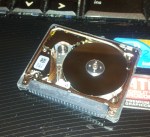
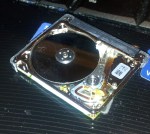
The drives themselves were in really bad shape, as seen below:

In the next part, I’ll show the aftermath of both drives. (Content Advisory: electronics gore)

Mini-Ramble: Obligatory filler post

It’s been well over a month since my last post. Some upcoming posts are in progress but none of them are in a state that I’d want in order for them to be publishable.

Upcoming posts involve tearing apart yet another portable power pack, replacing laptop battery gauge chips and perhaps some other related posts if I get to documenting and photographing those works.

There’s no real ETA for these; work on this blog will resume once my depression decides to stop kicking me in the shins every day…

Tearing down and modifying the Mars RPB60 power bank

A while ago I mentioned purchasing a very cheap battery pack that obviously didn’t live up to expectations. However, I didn’t get a chance to write about a more capable power bank, the Mars RPB60. It was branded as a SoundLogic/XT power bank, and holds 4400 mAh of battery capacity, with two USB ports (one labeled for 1 amp and 2.1 amps) and a micro-USB power input.

The power bank

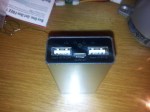
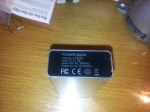
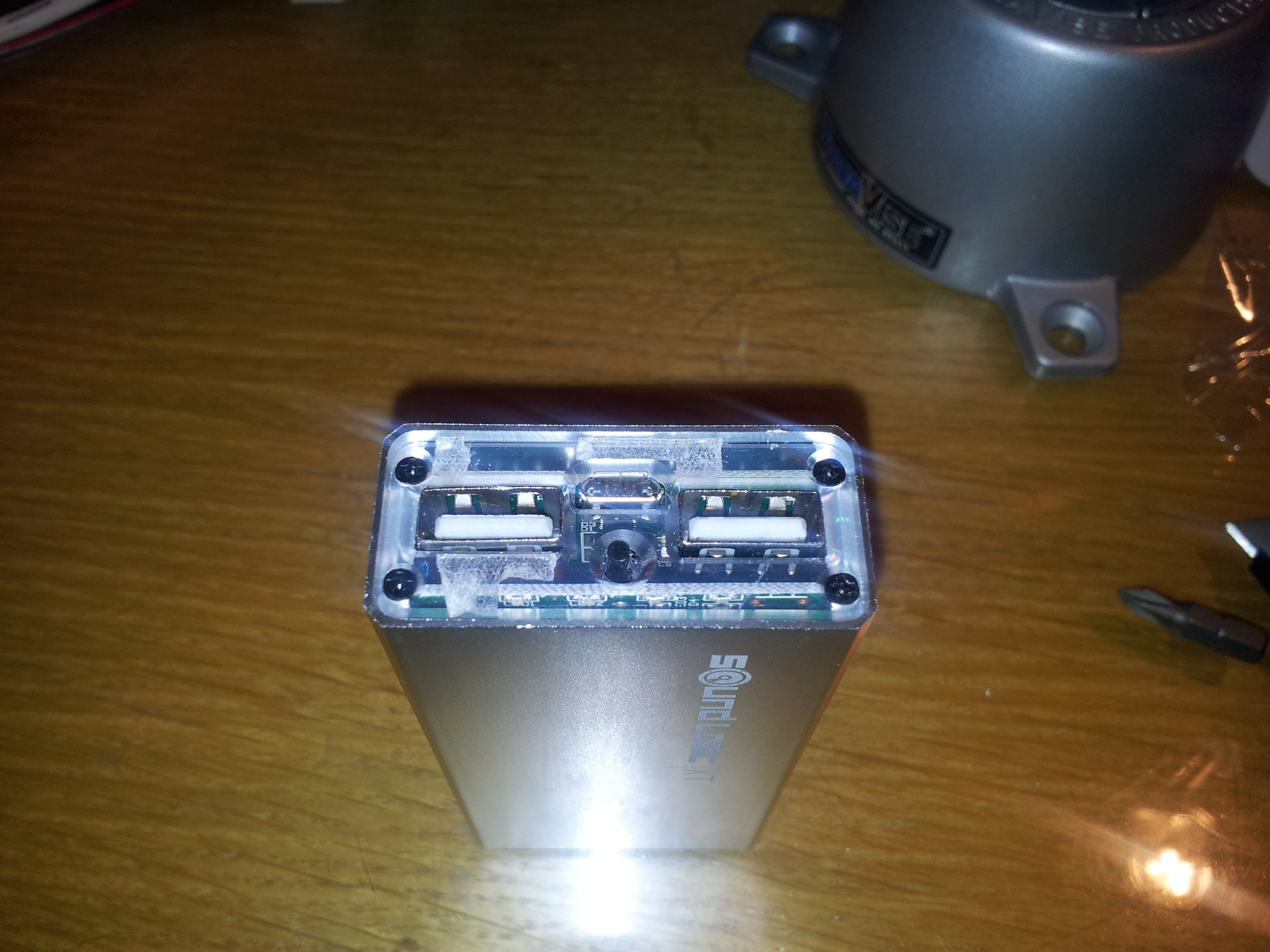
The power bank from the outside looks pretty nondescript, with two USB ports, a micro-USB input, a button and four blue LEDs. Initially it seemed that there wouldn’t be any easy way to open up the casing without damaging it, so I tried to pry away the plastic covers at the ends. Doing so revealed plastic plates held in with small Phillips screws. Disassembly from that point was a cinch.
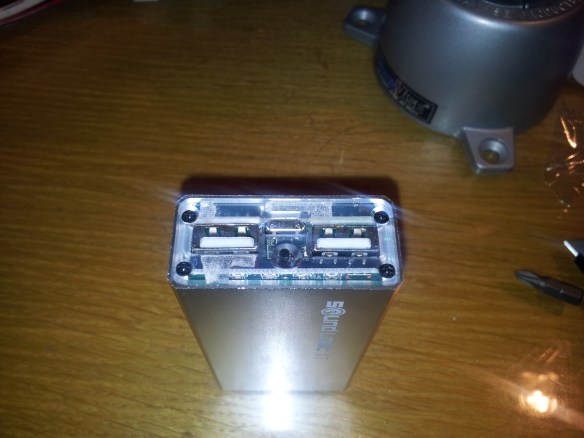
Removing covers reveals hidden screws

Removing covers reveals hidden screws

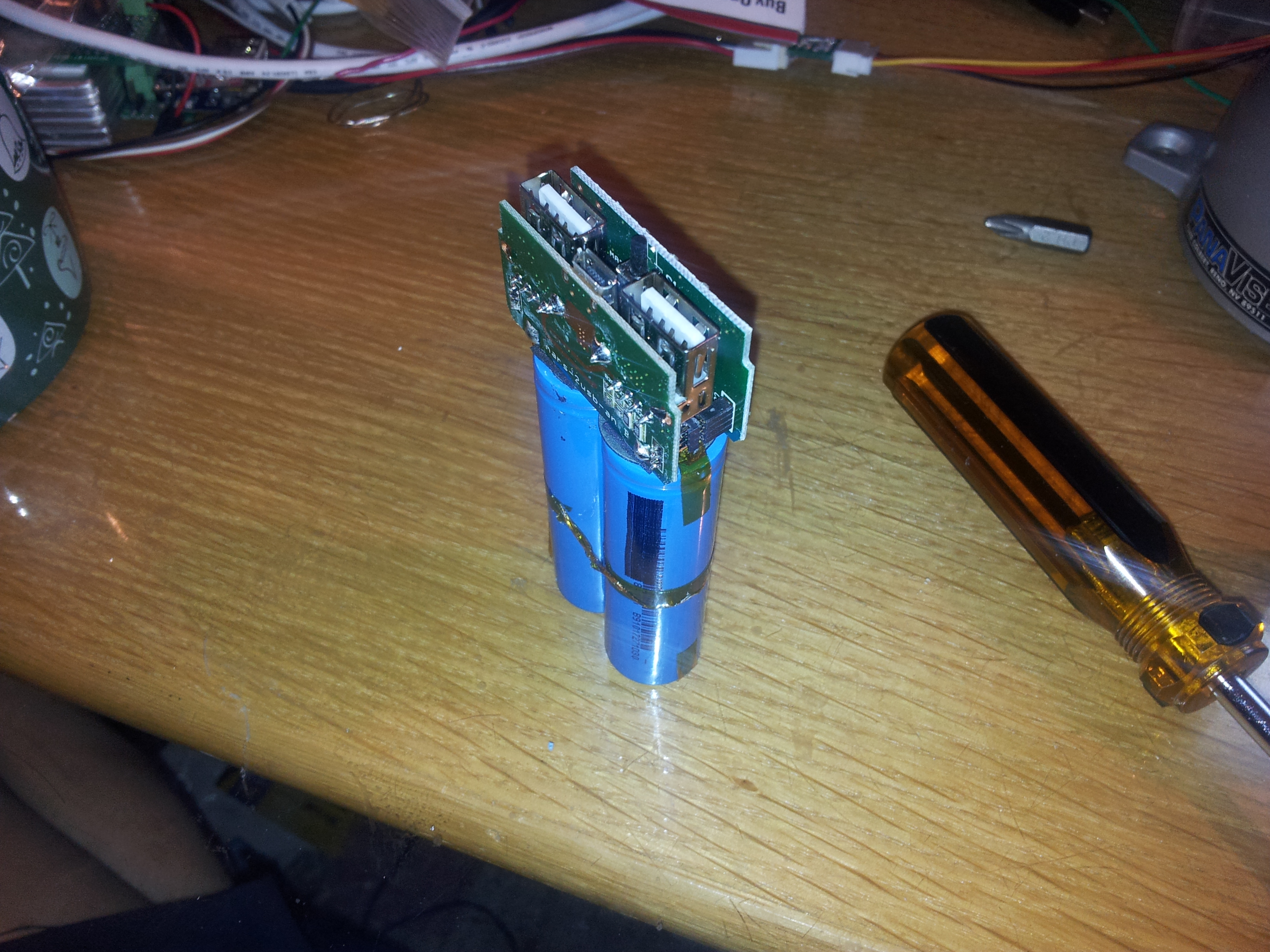
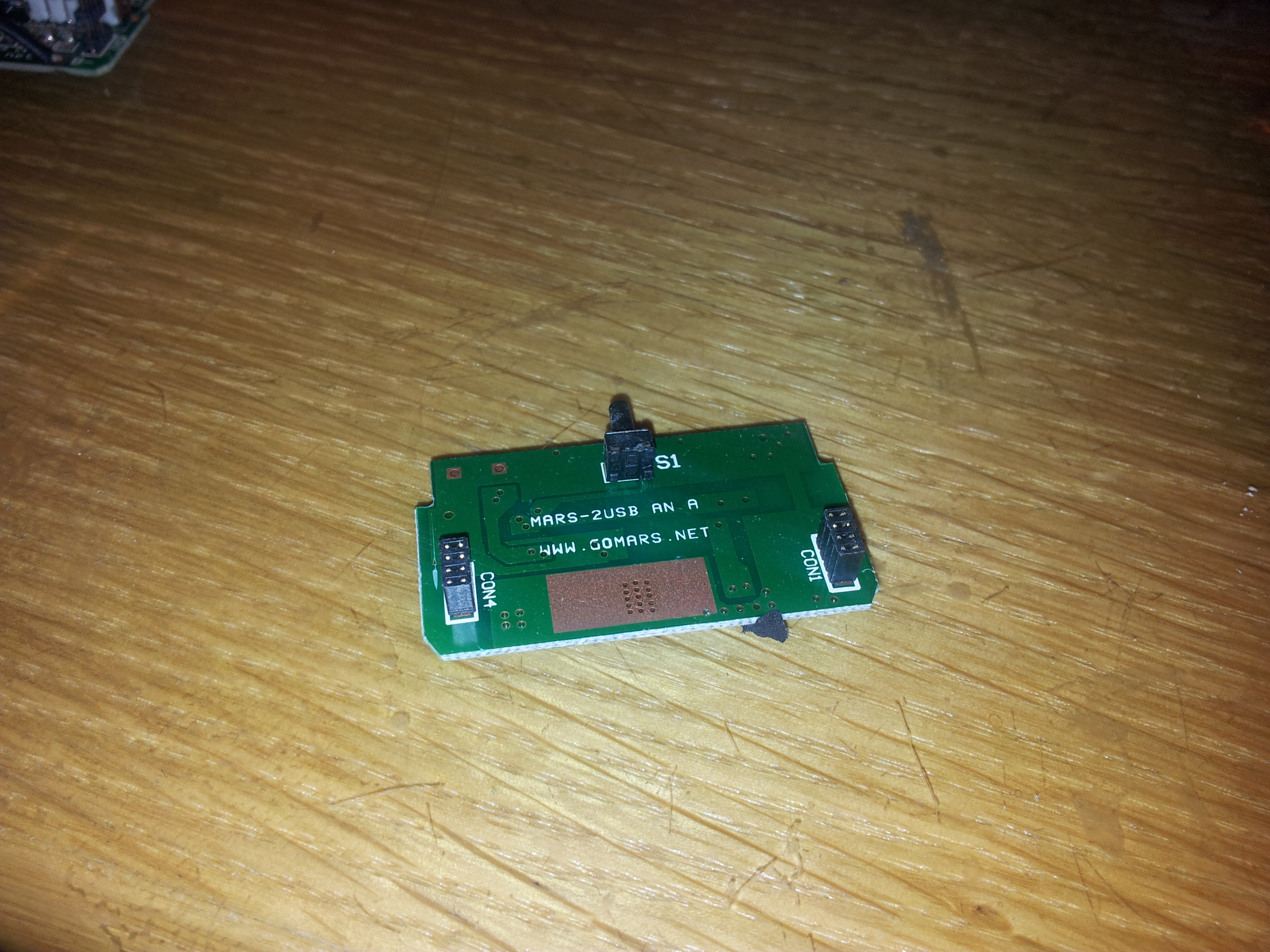
The PCB portion of the pack is of a stacked design. The two halves are connected with a set of small pin headers, with one side being the main DC-DC converter and USB output, and the other being the “gas gauge” and charging circuitry. The reason I put the phrase ‘gas gauge’ in quotes is that it’s only going by pure voltage thresholds, making it inaccurate when under load (like charging a phone and tablet, for example).
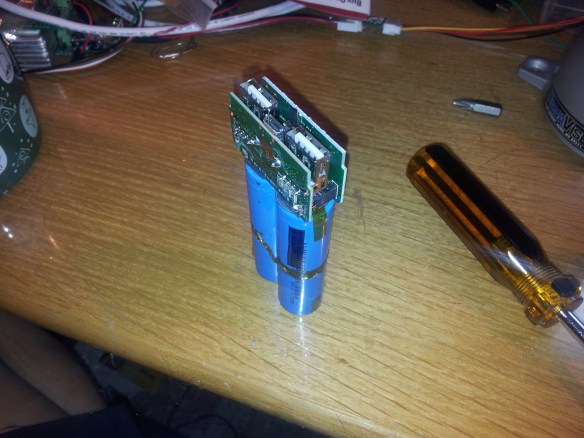
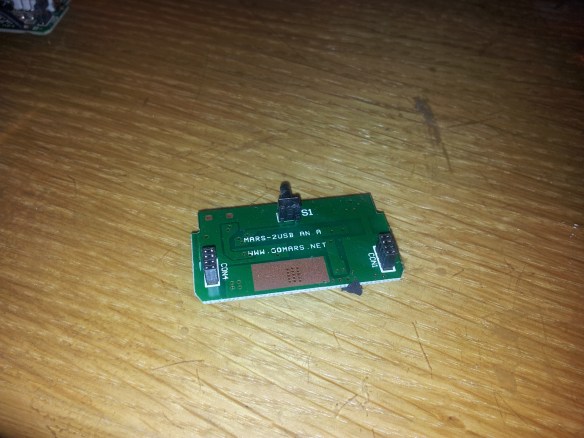
2014-01-05 00.25.02The main microcontroller is an unmarked 14-pin SOIC (likely an OTP-based PIC clone) and a TP4056 Li-Ion charging IC. The DC-DC converter is a DFN package that I couldn’t find any data on, but from what I can tell it integrates the DC-DC converter control circuitry and the switching MOSFETs.
2014-01-05 00.26.41

Blurry photo of microcontroller/charger PCB, taken with a potato for a camera. 😛
2014-01-05 00.27.16 Cells

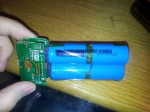
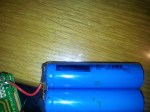
The cells themselves seemed to be of good quality, but the bastards at Mars decided to black out the branding and model number of the cells! However, I was unphased at their attempt to cover up what cells they were using. With a careful cleaning with flux remover and some Kimwipes, I found that this pack uses ATL INR18650 cells with a DW01-based protection circuit. These cells hold 2200 mAh each, and the INR prefix means that these are high-power cells intended to provide heavy output currents. This is desirable as a 10 watt load like an iPad would definitely put heavy strain on the batteries. Considering the good cells they used, I don’t understand why they’d want to hide the markings on the cells (and in a half-assed way too!)…

The initial capacity was at about 4800 mAh (greater than the rated capacity 😀 ) with an average ESR of about 63 milliOhms. However, after a dozen charge-discharge cycles, the capacity has decreased to 4630 mAh and has an average internal resistance of 190 milliOhms. I’ve got a feeling charge cycle endurance may be an issue with this battery pack. Time will tell…

Gas gauge hacking

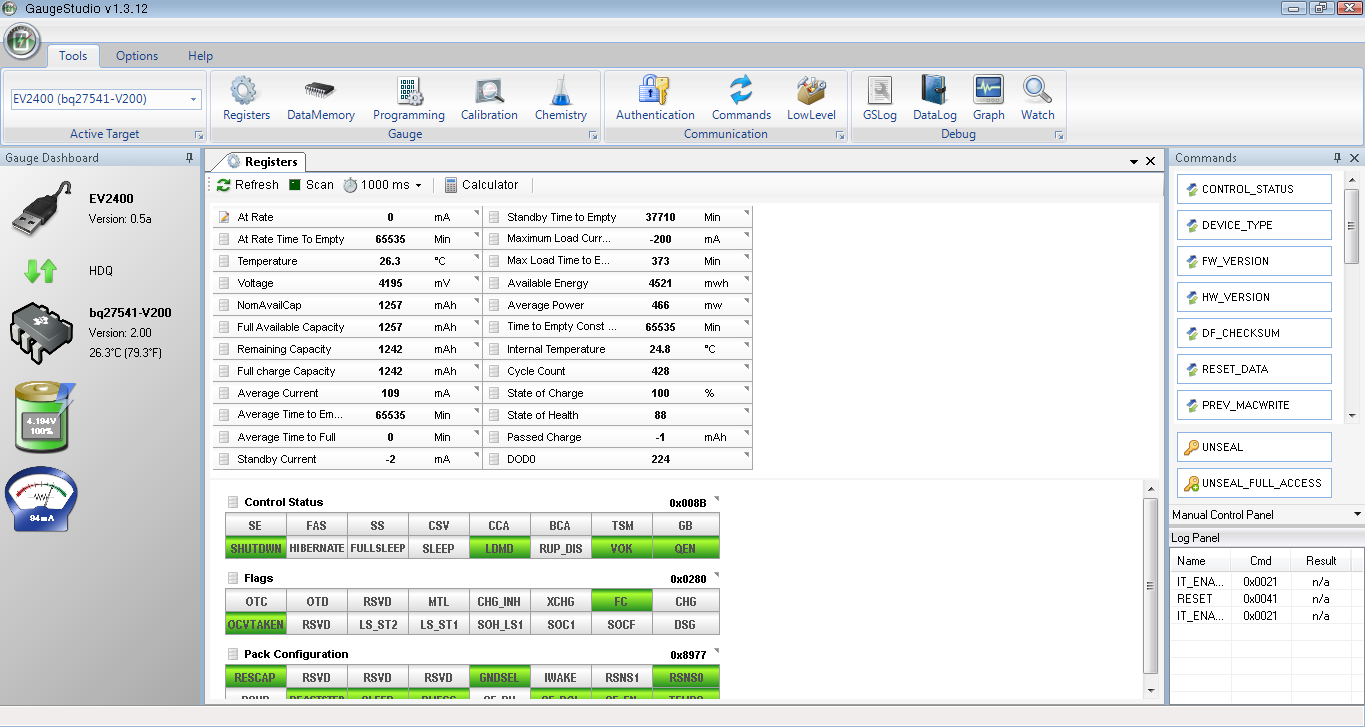
Since this battery pack didn’t have the gas gauge capabilities I wanted (voltage threshold-based gauging isn’t enough!), I decided to put in my own. I built a small bq27541-V200 gauge board with an external thermistor and current-sense resistor, using the breakout board itself to hold all the SMD passive components required for the gauge to function. The thermistor is taped to the cells to get an accurate temperature reading, and the current-sense resistor is attached in series between the cell’s negative terminal and the negative contact of the protection circuit.
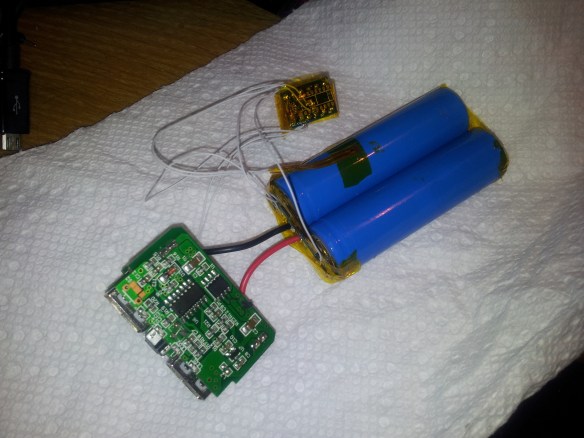
Gas gauge chip added

Gas gauge chip added

This is where the hacking happens. I connected the I2C lines to the left USB port’s data lines. The voltage divider used for Apple devices is very high-resistance and makes for good I2C pullup resistors. The device still appears as a normal device charger but works just fine when the I2C signals are hidden behind the USB lines.

Quirks

However, the design for my gauge is definitely not the best one. I noticed that with heavy use (and not even one full discharge cycle), the gauge had reset 4 times without me knowing. Of course, I’m not expecting great performance from this gauge since it’s extremely susceptible to EMI (long wires looping around are just asking for trouble 🙂 ) in its current state. Given how I basically hacked this together in a matter of a few hours, it works well enough. Next up is to go into Altium Designer and make a proper gas gauge board with good EMI and RFI mitigation (and perhaps sell them on Tindie; the hobbyist community needs better gas gauges and stop being so paranoid about Li-Ion batteries).

Further testing showed that certain phones put pulses on the USB lines which has occasionally caused the bq27541 to crash and reset as well.

Additionally, I’ve noticed that the DC-DC converter circuit is quite inefficient. It has 5-7 mA of quiescent current draw and has about 60-80% efficiency. At a full charge, it will take only one month before all the charge is drained from the cells and the protection circuit disconnects the cells.

Future plans

Since this battery pack has a nicely built casing, I intend to gut the battery pack, design new PCBs inside with good DC-DC conversion, an Impedance Track-based fuel gauge, and an onboard microcontroller with some battery-logging capabilities (perhaps to an EEPROM or an SPI Flash ROM), accessible through the micro-USB port. I also plan to use some higher-capacity cells, like the 3400 mAh Panasonic NCR18650B.

If not, then at least I want to replace the microcontroller with one that will read the bq27541’s state of charge readings and display them on the LED bar graph.
Ramble: Flappy Bird crash investigation

Although it’s already been pulled off the iOS App Store and the Google Play Store, I managed to get a copy of the .apk file and decided to play it on my phone. Seeing others’ experiences along with my own, I noticed there is a pattern to how the annoying little birds fly and crash.

Bird-control theory

The bird is controlled by tapping the screen, which causes the bird to move upward shortly before falling down again. Unlike other similar games, the screen needs to be periodically tapped to keep the bird in the air. This is basically pulse-density modulation at work; each tap of the screen causes a rise of a fixed amplitude and duration.

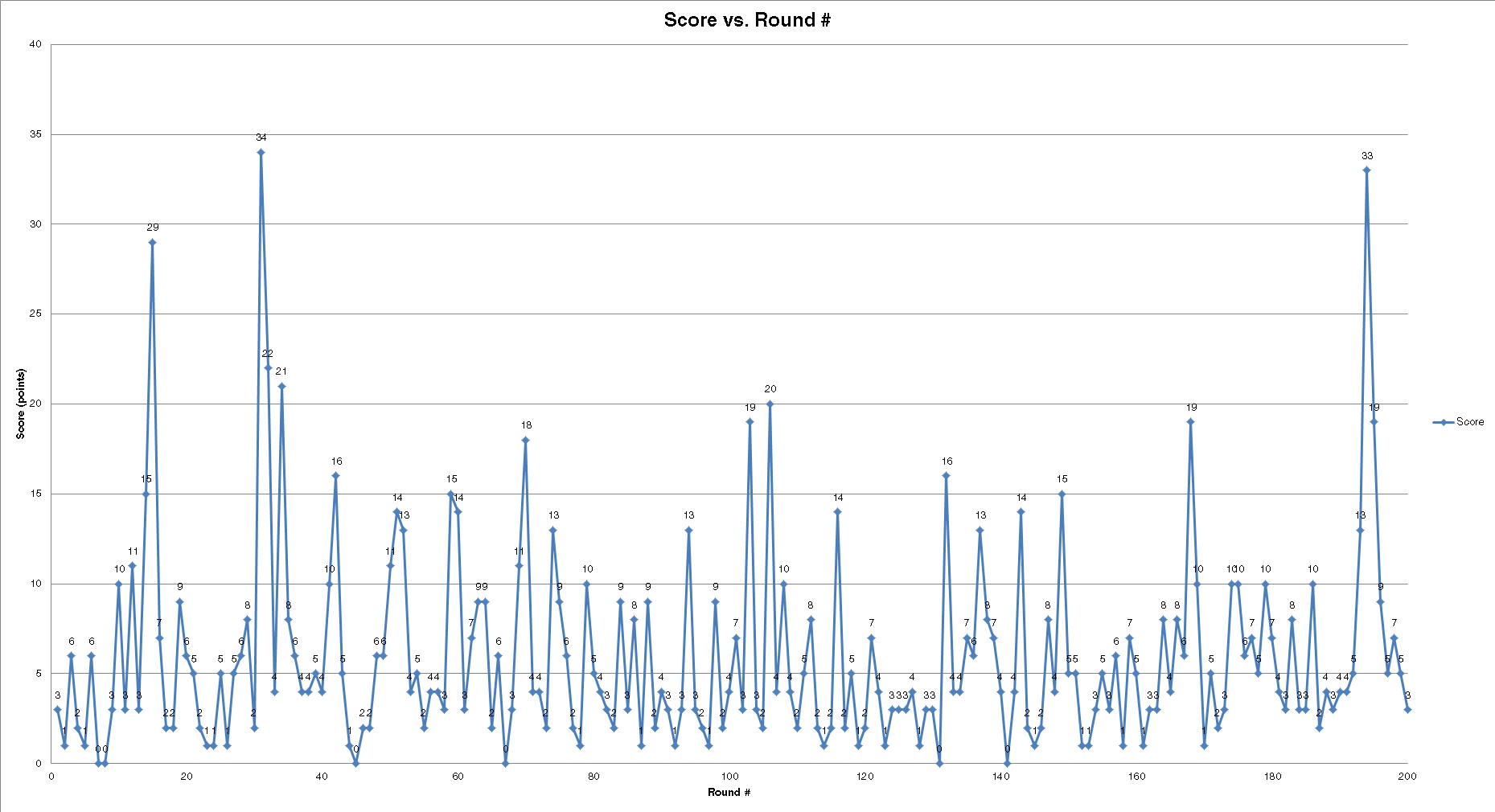
After playing over 200 rounds, I tabulated the data in a giant Excel spreadsheet, documenting the score along with how and where the bird crashed. With this data, I created a bunch of charts showing how and where crashes occur.

Charts

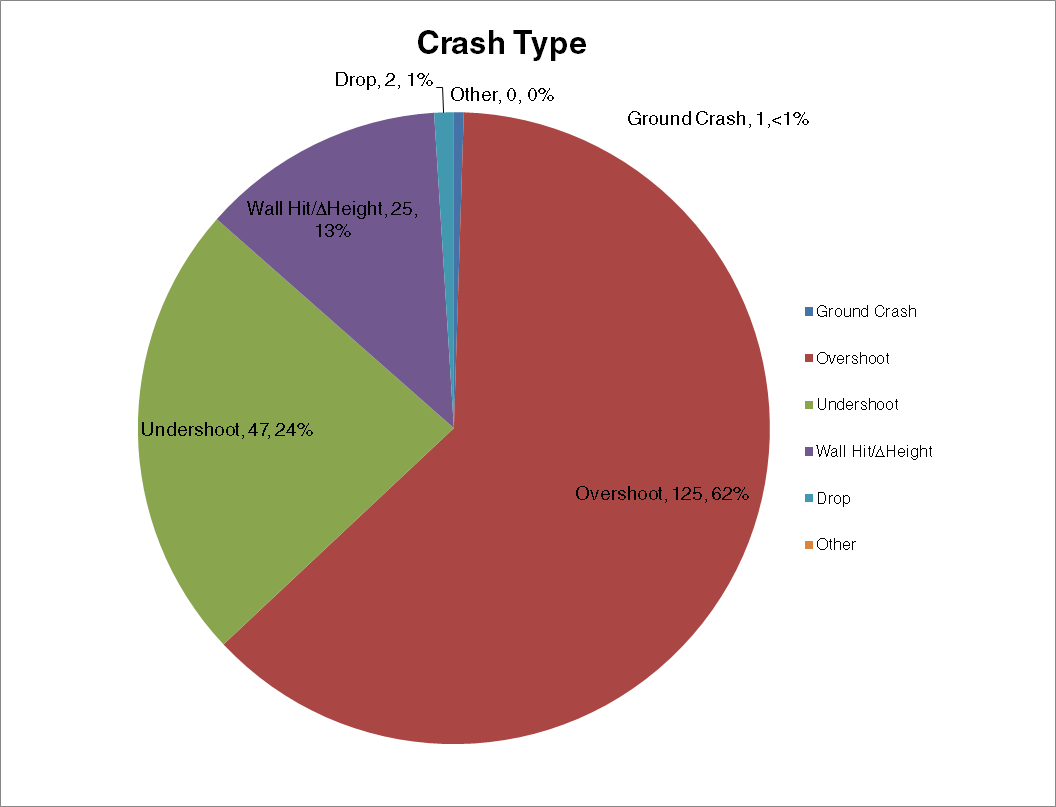
scorescrash typecrash locationscrash proximityBreakdown

From what I’ve collected, the majority of crashes are overshoots (the bird flies too high and hits the pipe), hitting the top pipe either to the left side or in the center. This can be attributed to the bird’s behavior when flying. When the screen is tapped, the bird moves a certain distance upwards but cannot be controlled. If the bird is too close to the pipe, an overshoot will occur and crash the bird.

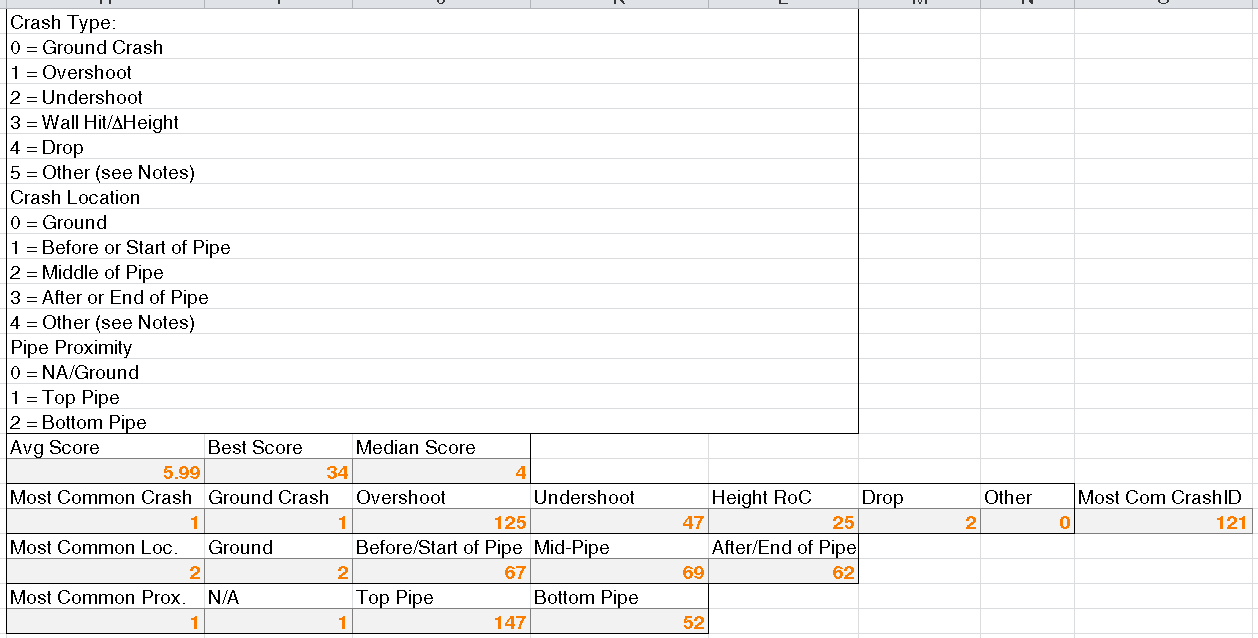
I created a bunch of statistics in the spreadsheet outlining the most common crash IDs (explained in the picture) and score information (my highest was 34 🙂 )

statsWas this a good way to cure boredom? Probably, but also possibly a bit too much work given the premise of this game.

If you want a copy of the Excel spreadsheet, click the link below.

Flappy Bird Crash Data

Looking inside an iPhone 4/4S battery

A classmate of mine had a couple broken iPhones that he ‘relieved’ of their batteries and let me take a look at them. Being the curious type I peeled away the outer layers of tape to reveal the protection circuit. I spotted a current sense resistor, and  that got me thinking…

… can it be? Yes, I found a bq27541 fuel gauge chip inside the battery! After fooling around with the battery, I found out that the battery is using the HDQ interface.

iphone battery pinoutThe HDQ bus, which stands for ‘High-speed Data Queue’, is a single-wire communications bus used by TI fuel gauges. It’s similar to Maxim’s 1-Wire protocol but runs with different protocols and timing. It operates at 7 kilobits per second (so much for ‘high speed’ right? 😛 ) and a refresh of the data memory in the TI software can take almost half a minute. However, it’s good enough for occasional polling (like every minute or so) since it’s unlikely that the gauge will be read from every second.

The bq27541(labeled BQ 7541) in the iPhone battery runs an unusual firmware version. It’s running version 1.35 and doesn’t match with any release on TI’s website. The gas gauge is sealed so initially it seems like gaining access to the Data Flash memory would be impossible. However, in non-Apple fashion, the gauge’s passwords are left at the default; 0x36720414 and 0xFFFFFFFF for the unseal and full-access keys, respectively (and it’s not the first time Apple’s done this!). Since the firmware version is unknown, I told bqEVSW to treat the chip as if it were the bq27541-V200. I then saved only the calibration, capacity, resistance and lifetime data.

Updating the firmware over HDQ was a nightmare. It took over a dozen tries for each of the two batteries I had, and the update process took 45 minutes (!) to update the bq27541 to the V200 firmware. At one point, it seemed as if I bricked the chip, but a power-on reset of the chip by shorting the cell very quickly 😀 sent the device into ROM mode (ie. firmware-update mode). From there I used bqCONFIG to update the firmware, and it was successful! Now I could use GaugeStudio to interface with the gauge rather than the unsightly bqEVSW software.

bq27541 updated to version 2.00

bq27541 updated to version 2.00

Given how long it took for me to update the firmware of the gauge, I have doubts that iPhones will update their batteries’ firmware in-system. Hell, the iPhone OS ignores the bq27541’s State of Charge readings and substitutes its own. Nice going, Apple!

Now to start going through cell phone recycling bins to pull out dead iPhone batteries for their gauges…